

Setting up ODBC
- Open Control Panel -> Administrative Tools -> Data Sources (ODBC)
- Select the “System DSN” tab.
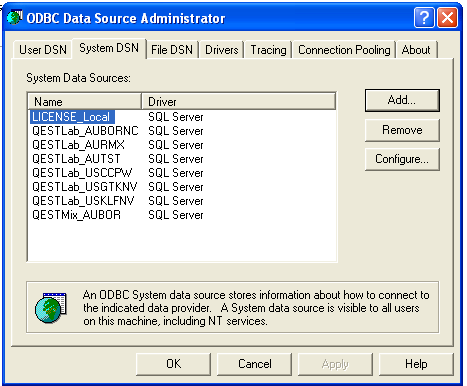

- Click ‘Add…’ for a new DSN.
- Select DSN as an “SQL Server”. A window to ‘Create a New Data Source to SQL Server’ will appear. Choose the ‘Name:’ of the database added in Enterprise manager. (i.e. QESTLab_AUBOR) and enter in ‘Server:’ “(local)”. Note the DSN name has to match the name in the Enterprise manager.
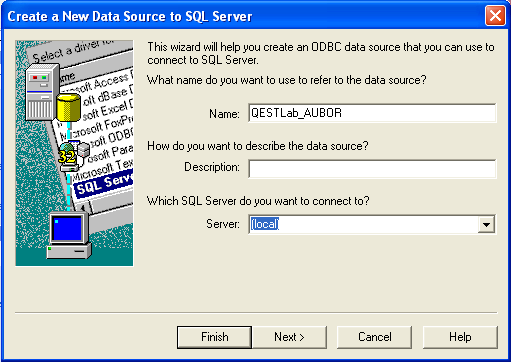

- Click next -> next
- Change the default database to the newly added database. (i.e. QESTLab_AUBOR).
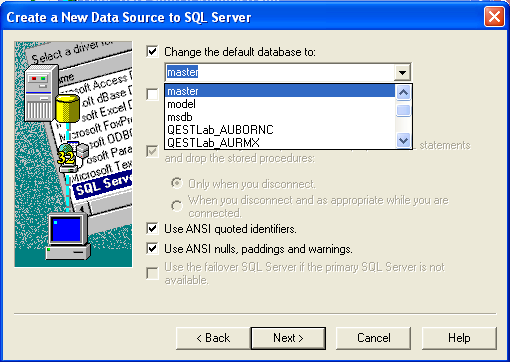

- Click ‘Next’ and ‘Finish’ on the following screen.