

Internal: Development Project Setup
Axosoft
A template project has been created in Axosoft. The basic Tasks and Axo Wiki pages have been created against it. Follow the steps outlined below in order to setup new Development Projects
Copy the Project
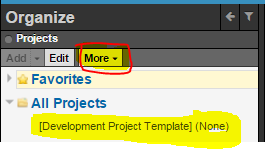
- Do a "Detailed Copy". Projects Pane -> More -> Copy -> Detailed Copy Project
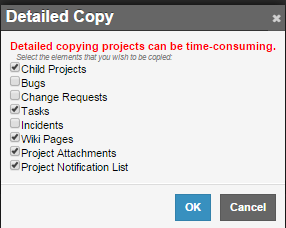
- Copy everything
- Rename the copied Project


Project Tasks
A task has been created for each major phase of a Project viz
- Requirements Analysis
- Design
- QA Validation
A task has also been created for general/everyday Project Management
- General Management
- Rename the tasks to include the Project Name (or an easy-to-identify abbreviation of the Project Name)
- If a specific task is not required then set its Workflow Step to Closed
- Set the following on the Open tasks:-
- Customer Contact
- Release (if known): just need to set it to the major release version e.g. Batman
- Assigned To = [you]
- Log Work As